

You make the music, and then you run everything around it: the posts, the plans, the people. Liner Notes is where we tell you what changed in melabel to make that part lighter.
This week brings two big ones. You can finally see why some posts take off, and you can find anything in your workspace from one box.
NewPromotion & Outreach
See what's working on your socials
You posted six times last week. Two of them took off, and you're not totally sure why. Was it the time you posted? The format? The platform?
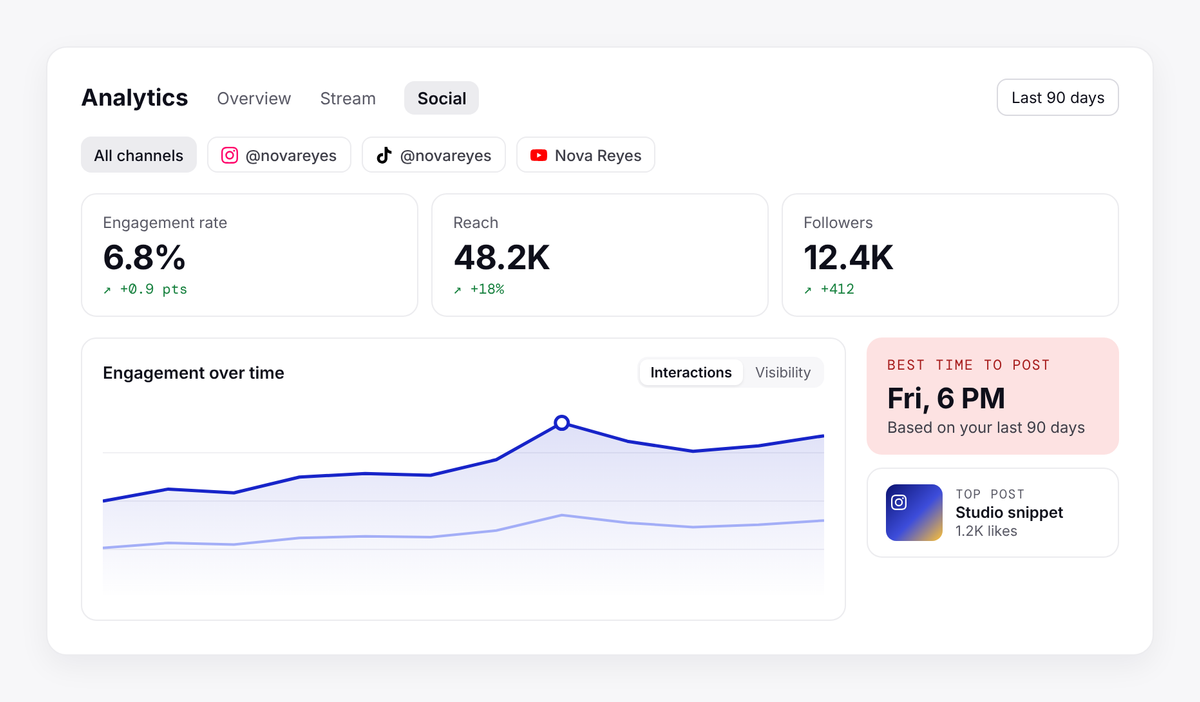
The Social tab in Analytics has been rebuilt from the ground up to answer those questions. You now get a clear summary of your reach and engagement at the top, then a breakdown of posts and likes by platform so you can see where your audience actually shows up. Engagement over time lets you switch between how many people interacted and how many people saw your posts.
The new insight views show your best time to post, which formats land hardest, how often you're posting, and how long each post keeps getting attention after it goes out. Your top posts now show thumbnails, so you can spot the winner at a glance. When something works, open the post composer straight from your analytics and make the next one.
ForArtists, Labels, Managers
Open Social analytics →NewWorkspace
Find anything in your workspace, fast
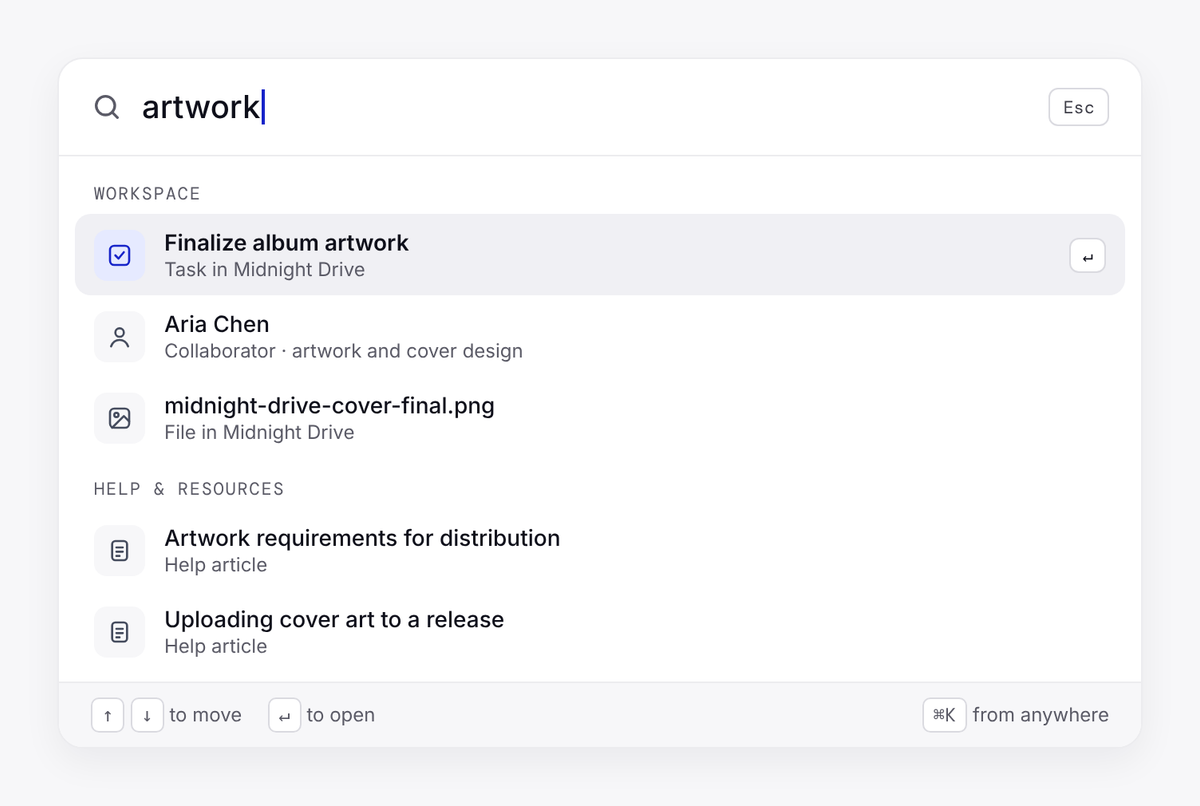
Somewhere in your workspace there's a task about the album artwork, a collaborator you added in the spring, and a help article on splits you read once. Finding any of them used to mean remembering where they lived.
Now there's one search for everything. Open the command palette to search your projects, tasks, collaborators and melabel Help articles from one box, and jump straight to what you need. It also works as a quick way to move around: go to your dashboard, open Team settings, or collapse the sidebar without reaching for the mouse.
If you like working from the keyboard, melabel now has shortcuts across the app, with hints right on the buttons so you can learn them as you go.
ForEveryone
Open melabel →Then press ⌘K on a Mac, or Ctrl K on Windows.
Here's to the next post that takes off, and to knowing why it did. See you in the next Liner Notes.
Also improved
Workspace
Social posts show on the calendarScheduled and published posts now appear in Calendar view, next to your releases and project deadlines.
Workspace
One date range for every Analytics tabPick a range once and every Analytics tab follows it.
Promotion & Outreach
Social connection status and one-click reconnectSee which accounts are connected and syncing, when data last updated, and reconnect any account that needs attention in a couple of clicks.
Also fixed
Promotion & Outreach
Clear error and reference ID when a social account fails to connectYou now get a clear explanation and a reference ID you can share with support.
Workspace
Dark mode tooltips are readable again
Nafiz, founder
Read the full changelog →